
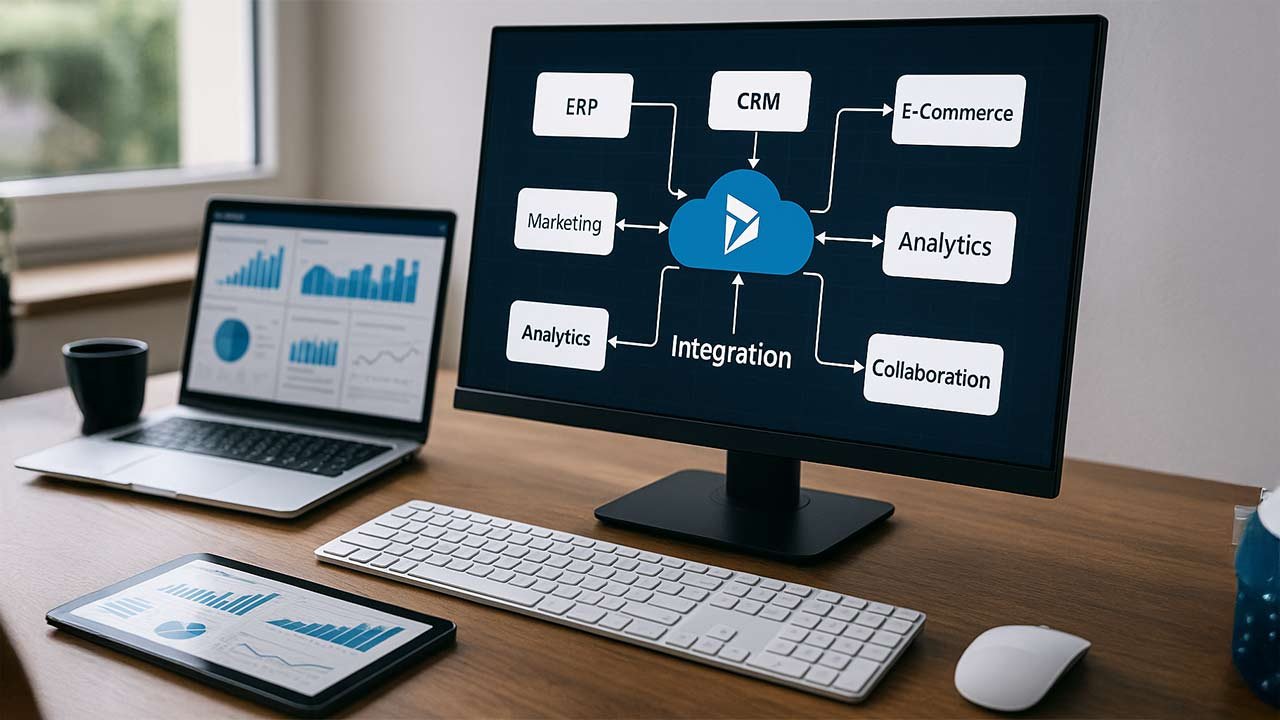
In today’s fast-paced business environment, organizations use a variety of applications—ERP systems, CRMs, marketing platforms, legacy databases, and more. Each tool serves a specific purpose, but when these systems don’t integrate seamlessly, they create friction that slows down business operations. Sales teams struggle with incomplete customer data, finance teams face delayed reporting, and decision-making becomes reactive instead of proactive.
At DAX Software Solutions, we understand the importance of streamlining data flows across systems. Through our expert Dynamics 365 integration services, we help organizations overcome these challenges by connecting their disparate systems into a unified ecosystem that works efficiently and supports growth.
Why Integration with Dynamics 365 is Crucial
Microsoft Dynamics 365 is a powerful suite of cloud-based CRM and ERP tools designed to manage various business functions like sales, service, finance, and operations. Its modular design offers flexibility, allowing companies to choose the tools they need. However, many businesses face challenges when trying to integrate Dynamics 365 with other systems they use.
When your applications don’t communicate with each other, you’re not leveraging the full potential of Dynamics 365. Systems operate in silos, creating gaps in data flow, which can lead to inaccuracies, inefficiencies, and missed opportunities. By integrating your systems with Dynamics 365, you can:
- Improve customer visibility across departments (sales, service, finance).
- Automate manual processes and reduce the chance for errors.
- Ensure consistent and accurate data across all systems.
- Increase operational efficiency, enabling faster decision-making.
DAX Software Solutions specializes in helping businesses integrate Dynamics 365 with their entire tech stack, ensuring smooth data flow and real-time updates across platforms.
Common Challenges in Dynamics 365 Integration
Despite its many benefits, integrating Dynamics 365 with other systems can be complex. Here are some common challenges organizations face:
- Complex Data Structures:
Each system has its own way of storing and managing data. Customer records, orders, and product data often have different structures in each platform. Aligning these data models across multiple systems is a critical first step in any integration. - Customization and Extensions:
Many businesses customize their Dynamics 365 setup with custom fields, workflows, and logic. This customization makes it more challenging to integrate with third-party tools or legacy systems. At DAX, we are experts at managing these customizations and ensuring that integration workflows are designed to work with your unique setup. - Security and Compliance:
Data security is a top priority when integrating systems. The more systems you connect, the more critical it becomes to have robust access control, encryption, and audit trails. We design integrations that ensure data privacy and meet compliance standards like GDPR, HIPAA, and more. - Lack of In-House Expertise:
Many organizations struggle with integration because they lack the internal expertise to manage the complexities of APIs, data mapping, and event-driven architecture. At DAX, we offer managed services that not only deliver integrations but also provide ongoing support to ensure your systems continue to operate efficiently.
The Role of iPaaS in Dynamics 365 Integration
To tackle the challenges of system integration, businesses are increasingly turning to Integration Platform as a Service (iPaaS) solutions. iPaaS allows businesses to connect various applications and data sources without needing to manually build point-to-point integrations. It offers several benefits:
- Low-code/No-code Integration: iPaaS platforms allow businesses to design integrations using visual tools, minimizing the need for custom code. This reduces development time and cost.
- Pre-Built Connectors: Many iPaaS solutions come with pre-built connectors for popular applications, including Dynamics 365, Salesforce, QuickBooks, and more. These connectors make it easy to integrate commonly used business tools.
- Scalability: iPaaS solutions are designed to scale with your business. Whether you’re adding new applications or expanding to new geographies, your integration platform will grow with you.
- Governance and Compliance: With built-in features like audit trails, role-based access, and data encryption, iPaaS ensures that your integration platform remains secure and compliant.
At DAX Software Solutions, we leverage iPaaS platforms to build seamless integrations that align with your business needs and reduce the complexity of managing multiple systems.
How DAX Software Solutions Can Help
At DAX, we specialize in Dynamics 365 integrations that empower businesses to unlock the full potential of their software investments. Our process begins with a thorough assessment of your current systems and understanding your business objectives. We then design a tailored integration strategy that aligns with your unique requirements.
Here’s how DAX delivers value:
- Customized Integration Architecture: We create a roadmap for integration that takes into account your existing systems, data structures, and business processes. Whether you need a simple connector or a complex, multi-step workflow, we provide a solution that fits your needs.
- Data Mapping and Transformation: We handle the complexities of data mapping, ensuring that data flows accurately between systems without compromising integrity or security.
- Ongoing Support: Our work doesn’t end with go-live. We provide managed services that include monitoring, troubleshooting, and optimization. This ensures that your integrations continue to deliver value long after deployment.
Best Practices for Successful Dynamics 365 Integration
Here are some best practices to ensure your Dynamics 365 integration project is successful:
- Start with Clear Goals: Before you begin, define what success looks like. Is it reducing manual data entry? Improving reporting accuracy? Automating workflows? Setting clear objectives ensures the integration delivers measurable business value.
- Involve Key Stakeholders: Integration affects multiple departments, including sales, finance, IT, and operations. Get buy-in from all relevant stakeholders to ensure the integration supports the entire organization’s needs.
- Plan for Scalability: As your business grows, your integration needs will evolve. Ensure that your integration platform can scale to support new applications, customers, and data volumes.
- Test and Validate: Don’t skip testing. Thoroughly test your integrations to ensure that data flows correctly and processes work as expected before going live.
- Monitor Post-Go-Live: Integration doesn’t end at deployment. Continuously monitor your integrations to catch any issues early and optimize performance.
Conclusion
Integrating Dynamics 365 with your other systems is more than just a technical challenge, it’s a business strategy. At DAX Software Solutions, we take the complexity out of integration, ensuring that your systems work together to provide accurate data, streamline operations, and improve decision-making.
If your organization is ready to eliminate silos and build a unified system, we can help you achieve that vision with expert guidance, tailored solutions, and ongoing support.
Looking for support with Dynamics 365?
With 20+ years of industry experience in ERP and CRM, DAX is proficient in crafting tailored solutions to meet the needs of businesses.